


No key points have been set for this post.
Disclaimer: This summary was created using Artificial Intelligence (AI)
So, you’ve been vibing on Bigo Live, maybe even crushing it with your dance moves, singing, or just being your hilarious self, but now you’re ready to level up. If you’re a dedicated broadcaster or a loyal fan who wants to support your favorite streamers, you need Bigo diamonds.
Common questions among users include how the recharge system works, where to locate account identification details, and what methods are available for adding diamonds to an account.
Guide to Recharge Bigo Live Diamonds
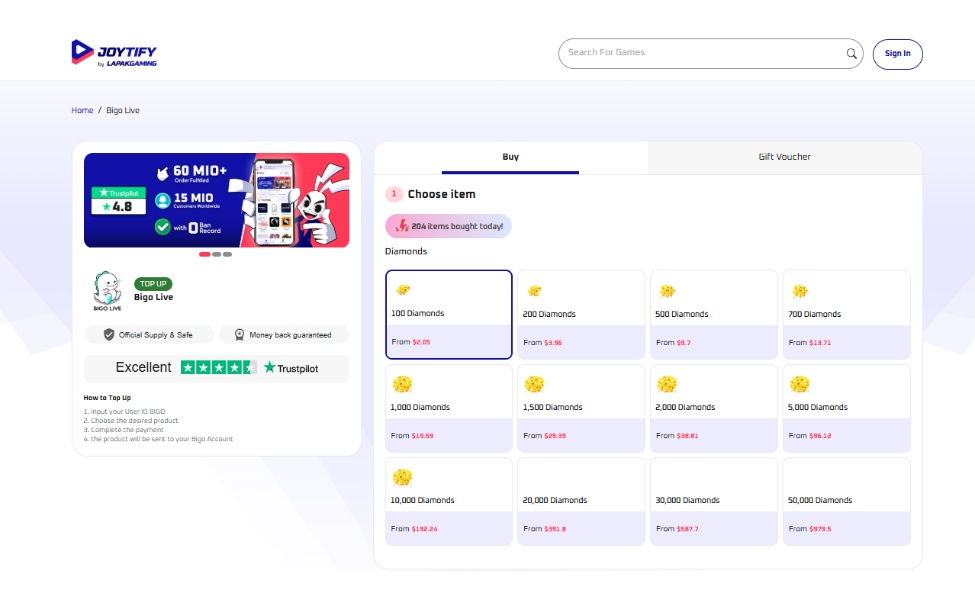
The process of adding diamonds to a Bigo Live account generally follows a structured flow involving account identification, package selection, and payment confirmation.
1. Go to a Trusted Recharge Site
Choose a safe and reliable platform like Joytify. This site is fast, official, and secure; no shady stuff.

2. Find Your Bigo ID
You’ll need this before you buy anything. Here’s how:
- Open the Bigo Live app.
- Tap the “ME” tab on the bottom right.
- Look under your nickname, you’ll see a number. That’s your User ID.
Important Note: Only enter the number, not “ID:”. For example, just type 901216366–not ID:901216366.
3. Select a Diamond Package
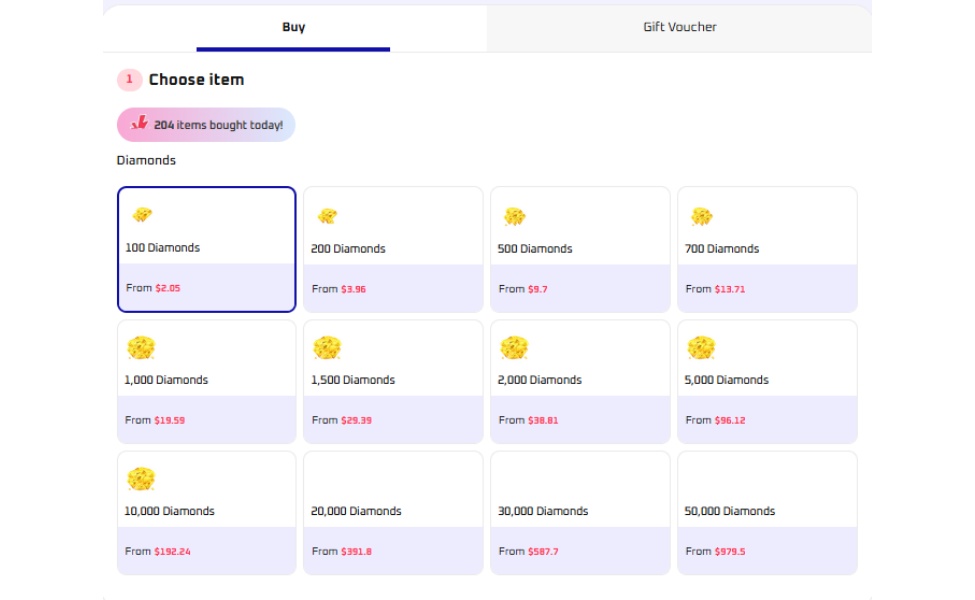
Users can select from various diamond quantities depending on their needs. Available options typically scale from smaller bundles to larger packages.
| Diamonds | Starting From |
|---|---|
| 100 | $2.05 |
| 500 | $9.70 |
| 1,000 | $19.59 |
| 5,000 | $96.12 |
| 10,000 | $192.24 |
| 20,000 | $391.80 |
| 50,000 | $979.50 |
The selection usually depends on intended usage, such as casual gifting or frequent interaction during live streams.
4. Choose a Payment Method
You can usually pay with:
- Credit/Debit Card (often the cheapest)
- E-wallet (PayPal).
5. Enter Your Email
Use a valid email to receive confirmation and any top-up codes.
6. Complete the Payment
Click pay, and your Bigo diamonds recharge is done. The diamonds will show up in your account almost instantly.
See Also: Palworld Elizabee Boss Location Guide
What is Bigo Live?
If you’re still figuring out the hype, Bigo Live is one of the world’s top live-streaming apps. It gives everyday people the chance to:
- Go live and share talents
- Build a fan base
- Watch global creators in real-time
- Connect, chat, and collaborate
So, either you’re a gamer, dancer, singer, or someone with a big personality, Bigo is a stage made for you. And for viewers, it’s like having a talent show in your pocket 24/7.
What are Bigo Diamonds?
Bigo Diamonds aren’t just fancy digital bling, cause they’re the core currency in the Bigo ecosystem. Here’s what you can do with them:
- Send Virtual Gifts: Want to show love to your favorite streamer? Send them roses, teddy bears, sports cars, or even yachts and mansions (yes, really). Each gift costs a set number of diamonds.
- Help Streamers Monetize: When you send diamonds, broadcasters receive them as Beans. Beans can then be exchanged for real money, so your support goes a long way!
- Boost Popularity: Gifts raise a broadcaster’s rankings and visibility. The more diamonds they get, the higher they appear on leaderboards, which means more fans, more reach, and more rewards.
See Also: Gunbound GGH: CBT, Gameplay & Mobiles Breakdown
Reasons You Should Recharge Your Bigo Live
When you join Bigo Live, it feels like tipping at a live concert, but with cooler perks. That’s why recharging diamonds is a game-changer, cause you can:
- Support your favorite creators in a meaningful way
- Get noticed during live streams
- Earn badges, ranks, and fan levels
- Exchange gifts for attention, shoutouts, and even interactions
And if you’re a streamer yourself? Diamonds = beans = real money in your pocket.
Where to Get Bigo Diamonds Cheap?
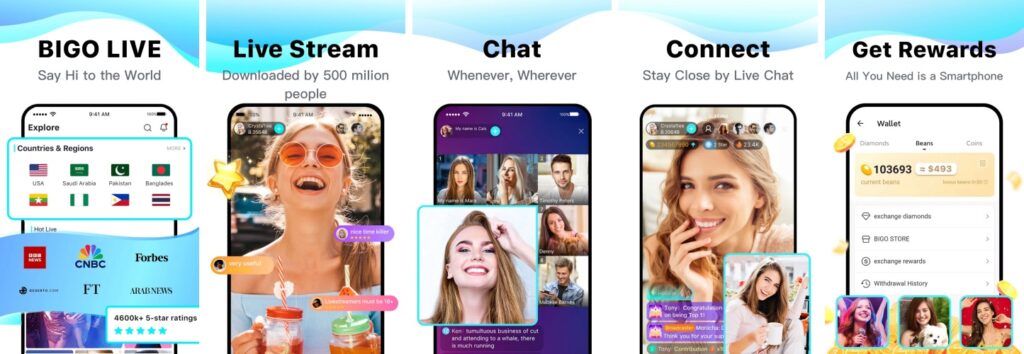
Looking for the best bang for your buck when it comes to Bigo Diamonds? Skip the sketchy sites and head straight to Joytify, your one-stop shop for fast, safe, and cheap Bigo Live recharge. No hidden fees, no delays, just instant delivery straight to your Bigo account.
Joytify offers official Bigo top-ups, accepts multiple payment methods (like e-wallets, cards, and PayPal), and runs frequent promos to help you save more. And, with real-time order tracking and responsive support, it’s the platform you can trust every time you need a diamond boost.
So why pay more elsewhere? Top up at Joytify and keep the good vibes flowing without breaking the bank.
See Also: Once Human Interactive Map: How to Use It
Quick FAQs About Bigo Top Up
Q: How do I recharge Bigo Live with a gift card?
A: Some platforms offer Bigo Live gift cards–just redeem them through your chosen top-up site.
Q: Can I send diamonds to someone else?
A: Not directly, but you can use your diamonds to gift them during their stream.
Q: Do diamonds expire?
A: Nope! They’re yours to use until you spend them.
Q: Is topping up Bigo diamonds safe?
A: Absolutely, as long as you use legit platforms like Joytify.
See Also: Monster Hunter Wilds Optimization Guide for Boost Performance
That’s your complete guide to top up Bigo diamonds with ease. Supporting your favorite creators or leveling up your streaming game is as simple as a few taps. No hassle, no overpaying, just instant access to the features that make Bigo Live so addictive.
Ready to make your presence known? Recharge Bigo Live now at Joytify, the trusted platform with the best deals, secure payments, and fast delivery. Load up on diamonds, send those epic gifts, and turn every stream into something unforgettable.
FAQs
Bigo diamonds are the in-game currency used to support streamers, purchase gifts, and unlock premium features on Bigo Live. They allow fans to show appreciation to broadcasters and enhance their streaming experience.
The cheapest method depends on your region and payment options available, but comparing different payment providers and looking for promotional deals can help you save money. Some regions offer better rates through specific payment methods or seasonal promotions.
Yes, broadcasters can convert received diamonds into real money through Bigo Live's monetization program. The conversion rate varies by region and account status, so streamers should check their earnings dashboard for specific details.
