


TL;DR
- Genshin Top Up Not Working is often caused by a mismatch between the account region and the payment method.
- Common errors include 'UID could not be processed' due to incorrect UID entries or payment method issues.
- Players can resolve payment errors by ensuring their payment method matches their account region and using official top-up channels.
Disclaimer: This summary was created using Artificial Intelligence (AI)
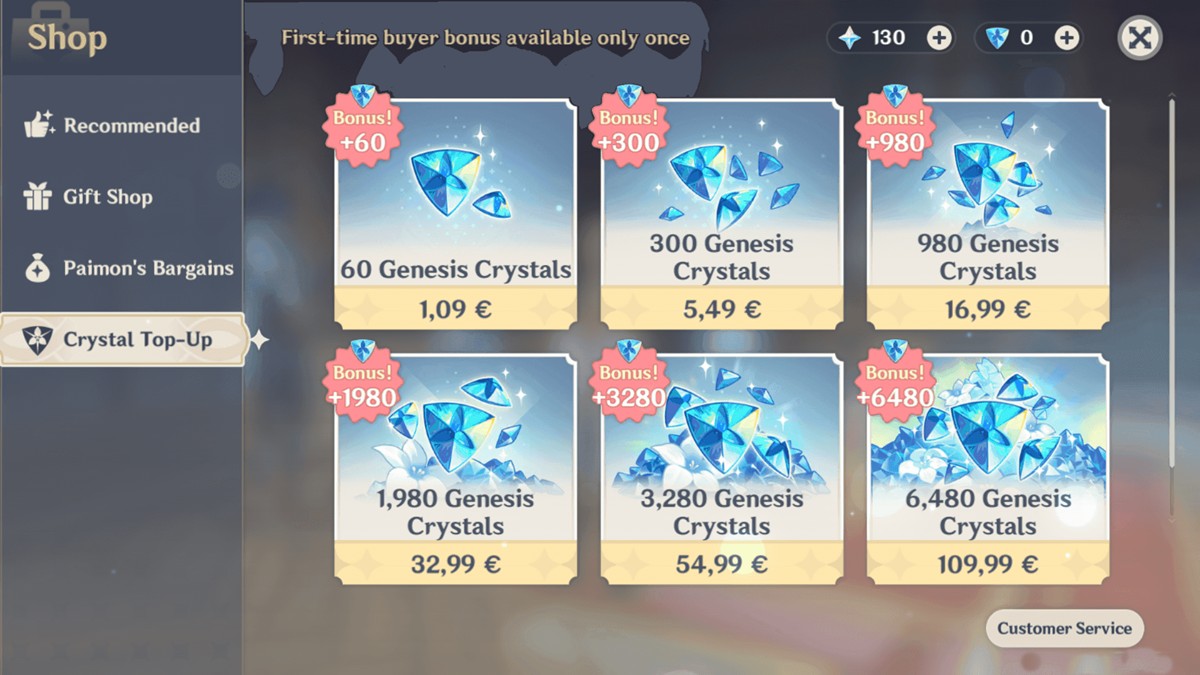
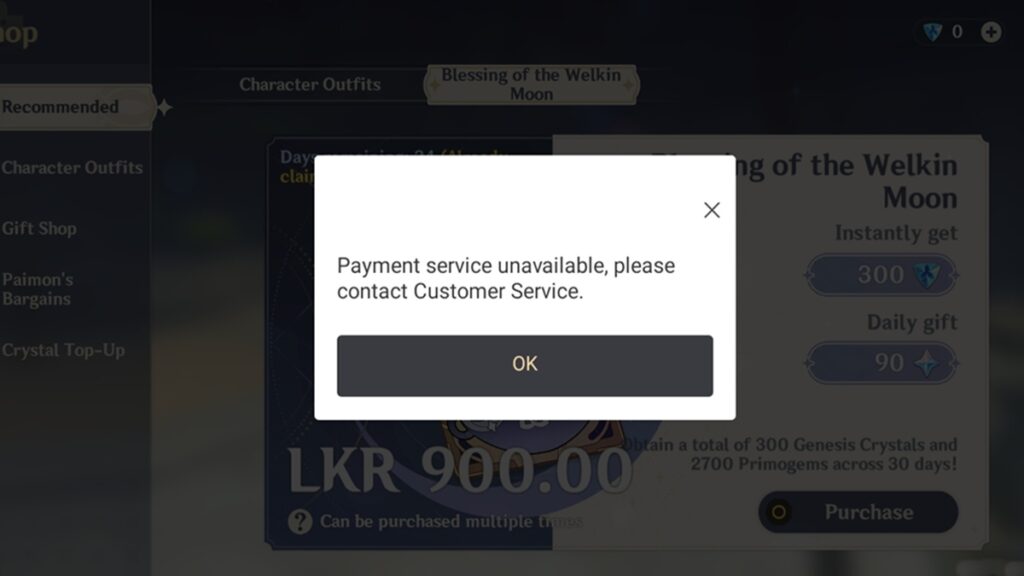
Genshin Top Up Not Working is one of the most frustrating problems players run into when trying to buy Genesis Crystals. You go through the payment process, everything looks normal, and then suddenly the transaction fails or you get a message like “UID could not be processed.”
If that happens, you’re probably dealing with a Genshin region locked payment issue. HoYoverse uses regional payment restrictions, and when your payment method doesn’t match your account region, the system can block the purchase.
This guide explains why Genshin top ups sometimes fail, what causes Hoyoverse region lock top up errors, and how to fix them safely in 2026.
Why The “Genshin Top Up Not Working” Error Happens
Genshin Impact Characters
When a Genshin payment region error appears, it usually means the game’s payment system detected a mismatch between your account region and your payment method.
This system exists mainly to prevent fraud and cross-region payment abuse.
Common triggers include:
- Using a payment method from a different country
- Logging in from a different region than your account
- Using certain third-party payment providers
- A temporary payment verification failure
When this happens, HoYoverse may reject the transaction and show errors like:
- UID could not be processed
- Payment failed
- Region mismatch error
- Transaction declined
These errors don’t mean your account is broken. It simply means the system cannot process the payment under the current conditions.
See Also: Joytify: Cheap, Fast & Secure Top-Ups, All in One Place

What “UID Could Not Be Processed” Means
One of the most confusing messages players encounter is:
“UID could not be processed.”
This usually appears when the payment system cannot validate the account during checkout.
This error can occur if:
- The UID entered is incorrect
- The account region conflicts with the payment method
- The payment provider fails verification
- The transaction is attempted through unsupported regional gateways
In most cases, the account itself is perfectly fine. The issue lies with the payment validation process, not the game account.
How to Fix Genshin Payment Region Error
If Genshin Top Up Not Working keeps appearing, there are several fixes that usually solve the issue.
Check Your UID Carefully
This might sound obvious, but it’s one of the most common problems.
Make sure the UID:
- Matches the correct account
- Includes all digits
- Uses the correct server
Entering the wrong UID can trigger the UID could not be processed message.
Match Your Payment Region
A Genshin region locked payment error often happens when the payment method originates from a different region than the account.
For example:
- Account created in Asia
- Payment method from Europe
When this mismatch occurs, HoYoverse may reject the transaction.
Using a payment method that matches your account region usually resolves the issue.
Use Official Top Up Channels
Another common reason for Hoyoverse region lock top up problems is using unsupported payment gateways.
The safest ways to top up include:
- The official HoYoverse top-up website
- The in-game purchase system
- Authorized third-party platforms
Using trusted services reduces the risk of payment verification errors.
Try a Different Payment Method
Sometimes the payment provider itself blocks the transaction.
If the top up fails, try switching to another method such as:
- Credit or debit card
- Digital wallet
- Different payment gateway
Many players fix the Genshin payment region error simply by using another payment option.
Wait and Retry Later
Occasionally, the problem is temporary.
Payment servers may reject transactions due to:
- High traffic
- Payment gateway outages
- Temporary verification failures
Waiting a few minutes and trying again can sometimes resolve the issue automatically.
How Region Lock Works in Genshin Impact
HoYoverse separates player accounts into several regions:
- Asia
- Europe
- North America
- TW/HK/MO
Your account region determines the server and payment compatibility.
If a payment system detects a mismatch between the account region and the payment method, it may trigger a Genshin region locked payment error.
This doesn’t affect gameplay, but it can interfere with purchasing Genesis Crystals.
Frequently Asked Questions
Why is my Genshin top up not working?
The most common reason Genshin Top Up Not Working happens is a region mismatch between your account and your payment method. Payment verification failures or incorrect UID entries can also trigger the error.
What does “UID could not be processed” mean?
This message usually appears when the payment system cannot verify the account information during checkout. It may happen if the UID is entered incorrectly or if the transaction fails regional validation.
Can region lock affect Genshin payments?
Yes. HoYoverse applies regional payment checks to prevent cross-region transactions. If your payment method comes from a different region than your account, the purchase may fail.
Is it safe to top up Genshin Impact through third-party platforms?
It can be safe as long as the platform is trusted and verified. Many players use reliable top-up services when they encounter Genshin payment region error issues or region lock problems.
Platforms like Joytify, along with other established top-up services, allow players to purchase Genesis Crystals by entering their UID without needing direct access to the account. Using reputable services helps reduce the risk of payment failures while ensuring the top-up process remains secure.
However, players should always avoid unknown websites and only use well-known, legitimate platforms when making purchases.
Can I change my Genshin Impact region?
No. The account region is determined when the account is created and cannot normally be changed later.
See Also: Joytify PayShield: Secure Payments, Guaranteed
Running into Genshin Top Up Not Working errors can be annoying, especially when you’re trying to pull for a limited banner before it disappears.
In most cases, the issue comes down to payment verification or region mismatch problems, not the account itself.
By checking your UID, using compatible payment methods, and relying on official or trusted top-up channels, most players can resolve Hoyoverse region lock top up errors without much trouble.
If you’re still dealing with region lock or payment errors, using a reliable top-up platform can make the process much easier. Top up Genshin Impact Genesis Crystals on Joytify.
TL;DR
- Genshin Top Up Not Working is often caused by a mismatch between the account region and the payment method.
- Common errors include 'UID could not be processed' due to incorrect UID entries or payment method issues.
- Players can resolve payment errors by ensuring their payment method matches their account region and using official top-up channels.