Logo Joytify
Home
/

BlackShot SEA (PC) - Drop Link

BlackShot SEA (PC) - Drop Link
DROPLINK

BlackShot SEA (PC) - Drop Link

How to Transact
Official Supply & Safe
Money back guaranteed
1

Choose item

Top Up

364 GEM

From

S$6.5

728 GEM

From

S$13

1092 GEM

From

S$19.5

1820 GEM

From

S$32.49

3640 GEM + BONUS 182

From

S$64.99

5460 GEM + BONUS 546

From

S$97.48

7280 GEM + BONUS 1092

From

S$129.97

2

Enter quantity to buy

3

Choose payment method

E-Wallet / E-Money

PayNow QR

PayNow QR

Credit Card

Credit or Debit Card

Credit or Debit Card

4

Enter account details

Guide

Open and login https://www.papayaplay.com/shop/main.do?sid=6 → Click Razer payment → Select denomination → Copy the Razer link into the column above. More details

5

Enter contact info

You will receive transaction receipt if you fill this in
6

Got promo code?

By clicking Buy now button, you have agreed to Terms & Conditions that applied.
Fill in the field to buy

Do You Have Questions?

Is Lapakgaming Rebranded to Joytify?

Yes. Lapakgaming has rebranded to Joytify. It is the same company, the same catalog, and the same trusted service under a new name.

Your account, balance, and order history carried over unchanged, and you can log in with your existing details.

Yes, topping up on Joytify is completely safe. Every item comes directly from official game publishers and distributors, so your account is never at risk.

All payments run through licensed providers, and your personal data stays private.

Delivery is instant. Our system is fully automated, so your items arrive in your in-game account within seconds of a successful payment.

Your payment is safe and your order will not be lost.

Start by checking the Transaction menu to see whether your order is queued or processing. Allow 5 to 15 minutes, as occasional delays come from the game publisher's server rather than your payment.

If the item still has not arrived, contact our 24/7 customer support with your payment proof and game ID, and we will trace it immediately.

Log in to Joytify, open the Transaction menu, and select any order to view its live status. Every purchase made while logged in is saved to your account.

If a status does not update, contact customer support, and we will resolve it for you.

Joytify partners with official providers to offer the most popular payment methods, all verified automatically at checkout.

Our available payment methods: PayNow QR, Credit or Debit Card

Speed, price, and security. Your items arrive in seconds through a fully automated system, and the price you see at checkout is exactly what you pay, with no hidden fees.

Every item is official publisher stock, which keeps your account completely safe. You also get dozens of local payment methods and 24/7 customer support.

On top of that, promos run regularly, with the biggest discounts during major in-game events.

We partner directly with official game distributors and publishers, so nothing gets marked up along the way. The saving lands with you

Yes, there is always a promo running. Flash sales and event discounts appear on our homepage and product pages, so it pays to check before completing your purchase.

For early access to new deals, follow Joytify on Instagram and Facebook, where promos are announced first.

Top Up and Recharge BlackShot SEA (PC) - Drop Link

Top Up and Recharge BlackShot SEA (PC) - Drop Link Newest Pricelist August 2026

NominalPrice
364 GEMS$6.5
728 GEMS$13
1092 GEMS$19.5
1820 GEMS$32.49
3640 GEM + BONUS 182S$64.99
5460 GEM + BONUS 546S$97.48
7280 GEM + BONUS 1092S$129.97

Nominal and Price updated on 19 August 2026

Complete BlackShot SEA (PC) - Drop Link Top Up Payment Method

Available various BlackShot SEA (PC) - Drop Link top up payment methods available at Joytify

Payment MethodAvailability
PayNow QRAvailable
Credit or Debit CardAvailable

About BlackShot SEA

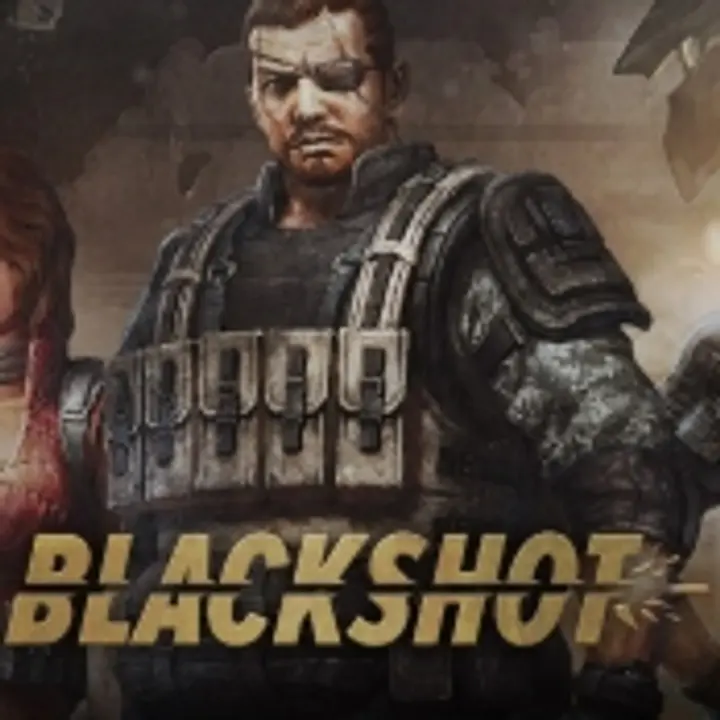
BlackShot SEA is a dynamic first-person shooter (FPS) game developed by Vertigo Games. Initially launched in Korea on November 15, 2007, this tactical FPS has evolved to deliver gripping gameplay to players worldwide. Published in Southeast Asia by PlayOne Asia, BlackShot SEA continues to captivate fans with its action-packed battles, engaging storylines, and immersive multiplayer modes.

BlackShot SEA Release Date

The SEA version of BlackShot debuted on April 30, 2009, marking the game’s arrival in the region with dedicated servers and content tailored for Southeast Asian players.

BlackShot SEA Gameplay

What makes BlackShot SEA stand out? This game allows you to be part of a post-apocalyptic world where factions battle for supremacy amidst the ruins of civilization. Here’s what you’ll enjoy:

  • Game Modes: Choose between Team Flag Match, Search and Destroy, and the all-time favorite Team Death Match. Each mode offers unique strategies and adrenaline-pumping moments.
  • Partner System: Pair up with a buddy and gain tactical advantages like shared ammo, Partner View, and synchronized respawns. It’s like having a co-pilot in a fighter jet!
  • Weapons and Customization: From rifles to melee weapons, personalize your arsenal to match your style.
  • BlackPoints (BP): Earn BP to unlock weapons, gear, and other essential items.

BlackShot SEA PC Requirements

Ready to join the action? Ensure your PC meets the specs:

Minimum Requirements

  • CPU: Intel Pentium 4 / AMD Athlon 64
  • RAM: 1 GB
  • GPU: GeForce 6800 / Radeon X550.

Recommended Requirements

  • CPU: Intel i3 / AMD Phenom
  • RAM: 4 GB
  • GPU: Nvidia GTX560 / AMD HD7770.

BlackShot SEA's GEM: In-Game Currency

GEMs are the lifeblood of BlackShot SEA’s economy. Use them to purchase premium items, exclusive skins, and advanced weaponry. Need more GEMs? That’s where topping up via Razer Link comes into play!

What is Top Up via Razer Link?

Topping up via Razer Link is a seamless way to recharge your account using Razer Gold, a virtual credit trusted by gamers worldwide. Think of Razer Gold as your gaming wallet, compatible with over 42,000 titles, including BlackShot SEA.

How to Top Up BlackShot SEA via Razer Link at Joytify

Topping up GEMs has never been easier! Here’s a quick guide:

  1. Visit Joytify, and head to their exclusive BlackShot SEA offers.
  2. Follow the steps to create a payment link tailored for your purchase.
  3. Enter the Razer Link URL and paste the URL into the designated field.
  4. Choose from various GEM packages.
  5. Choose your preferred payment method for a hassle-free transaction.
  6. Your GEMs will be credited to your account instantly.
Logo Joytify

Secure & Trusted Top Up Platform with Money Back Guarantee


10 Anson Road, #03-05, International Plaza, Singapore 079903

Region & Language