Logo Lapakgaming
Home
/

Indus Battle Royale

Indus Battle Royale
TOP UP

Indus Battle Royale

How to Transact
Official Supply & Safe
Money back guaranteed
1

Choose item

transaction count

188 items bought today!

Top Up

100 Indus Credits

From

51.63

280 Indus Credits

From

124.68

600 Indus Credits

From

258.69

1560 Indus Credits

From

646.45

6400 Indus Credits

From

2,588

12400 Indus Credits

From

4,852.49

2

Enter quantity to buy

3

Choose payment method

E-Wallet / E-Money

QR

QR

GCash

GCash

Grabpay

Grabpay

Paymaya

Paymaya

ShopeePay

ShopeePay

Over Counter

Cebuana

Cebuana

4

Enter account details

Guide

5

Enter contact info

You will receive transaction receipt if you fill this in
6

Got promo code?

Reviews and Ratings

View all
5.0of 5.0

Best picks for Indus Battle Royale, based on reviews

JU

Juvenal Usero

easy to use, no problem encountered so far.

RM

Rainier Noah Madriaga

Very accommodating customer service. The prices of their top ups are very cheap compared to in game purchases of the game. Using LapakGaming is highly recommended for gamers to save up for their in game currencies.

JL

Justin Loveriano

Awesome! Galing nito promise

By clicking Buy now button, you have agreed to Terms & Conditions that applied.
Fill in the field to buy

Do You Have Questions?

Is It Safe to Top Up on Joytify?

Very safe! Joytify guarantees the security of your account and transactions through our Official Supply Assurance. We work directly with official game publishers to ensure all top-ups and gift cards are 100% authentic. There is zero risk of account bans. Plus, you can play with confidence knowing we offer a Money-Back Guarantee, providing a full refund for eligible orders if you face any issues.

The fulfillment process is fully automated, so your items will instantly appear in your account within seconds of a successful payment.

Don't worry, your funds and transactions are safe. If there's a delay, please follow these steps:

  • Check the Transaction menu first to see if your order is currently queued or processing.

  • Wait a few moments (around 5-15 minutes), as delays can sometimes occur directly on the game publisher's official servers.

  • Contact our 24/7 Customer Care immediately if the item still hasn't arrived. Have your payment proof and Game ID ready so we can process the check right away.

Make sure you are logged in during your transaction so your order history is saved to your account. Then, you can track it by:

  • Logging into the Joytify website and opening the Transaction menu.

  • Click on the specific purchase history you want to check to view its processing status.

  • Contact Joytify Customer Care anytime via Live Chat if you face issues or if the order status doesn't update to successful.

Need help? We provide 24/7 Customer Care! You can reach out to our team anytime via WhatsApp Chat. We’re available 24/7 to answer your questions during your purchase and support you through every step of the journey. You can also email your detailed questions or complaints to support@lapakgaming.com.

Joytify partners with official providers to offer a comprehensive list of automatically verified payment methods, including QR, GCash, Grabpay, Paymaya, ShopeePay, Cebuana

  • Official Supply Assurance: 100% authentic transactions sourced directly from publishers, ensuring your account is safe from bans.

  • Money-Back Guarantee: We've got your back with full refunds for eligible orders if anything goes wrong.

  • 24/7 Customer Care: Reach out anytime via Chat for instant support.

  • Final prices with no hidden fees.

  • Dozens of convenient payment methods are available.

  • You can enjoy attractive discounts and promos during major in-game events.

Joytify can offer the best prices while guaranteeing 100% legality and ban safety because:

  • We partner directly with official game distributors and publishers to cut out the middleman.

  • Our high daily transaction volume allows us to pass price discounts directly on to you.

  • Despite the low prices, every order is strictly protected by our security systems and full Money-Back Guarantee.

Absolutely! You can save more on your top-ups through Flash Sales and game event discounts by:

  • Checking the active promo banners on our homepage and product pages.

  • Following the latest promo updates on Joytify's official Instagram, X/Twitter, TikTok and Facebook.

Top Up and Recharge Indus Battle Royale Philippines

Recharge and top up your Indus Battle Royale! Safely buy the most affordable Indus Battle Royale Top Up in Philippines, backed by 10x Money-Back Guarantee, only at Joytify Philippines! Top-up payments QR, GCash, Grabpay, Paymaya, ShopeePay, Cebuana.

Top Up and Recharge Indus Battle Royale Newest Pricelist March 2026

NominalPrice
100 Indus Credits51.63
280 Indus Credits124.68
600 Indus Credits258.69
1560 Indus Credits646.45
6400 Indus Credits2,588
12400 Indus Credits4,852.49

Nominal and Price updated on 18 March 2026

Complete Indus Battle Royale Top Up Payment Method

Available various Indus Battle Royale top up payment methods available at Joytify

Payment MethodAvailability
QRAvailable
GCashAvailable
GrabpayAvailable
PaymayaAvailable
ShopeePayAvailable
CebuanaAvailable

Indus Battle Royale

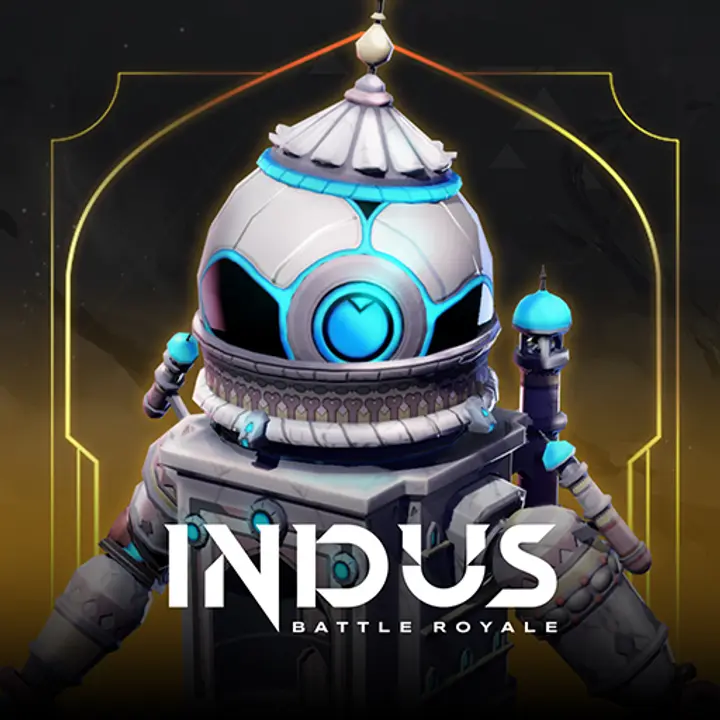
Indus Battle Royale is a battle royale game developed by SuperGaming, an Indian game studio. The game brings a unique touch with its "Indo-Futurism" concept, blending Indian cultural elements with a futuristic setting. In the game, players take on the role of Mythwalkers, warriors tasked with exploring a floating island called Virlok to hunt for a rare resource called Cosmium while surviving attacks from other players.

Key Features:

  1. Indo-Futurism Graphics:
    The game offers a world with visual designs that combine futuristic aesthetics with Indian cultural elements, creating a unique and captivating visual experience.
  2. FPS and TPS Modes:
    Players can switch between first-person (FPS) and third-person (TPS) perspectives, providing flexibility and varied gameplay styles.
  3. Grudge System:
    This feature allows players to seek revenge on opponents who defeated them in previous matches, adding an extra layer of strategy and excitement.
  4. Dynamic Map:
    The island of Virlok features diverse areas with interactive elements, offering different challenges in every match.
  5. Wide Compatibility:
    Indus is available on Android and iOS devices, making it easily accessible to players worldwide, including in Indonesia.

This game is perfect for battle royale fans looking for a fresh experience with a rich cultural touch.

Where Can You Play Indus Battle Royale?

Indus Battle Royale can be downloaded and played for free on various platforms, particularly mobile devices, making it easily accessible to many players.

Supported Platforms for Indus Battle Royale:

  1. Android:
    Android users can download and play Indus Battle Royale through the Google Play Store. Make sure your device meets the minimum system requirements for an optimal gaming experience.
  2. iOS:
    For iPhone or iPad users, the game is available on the App Store. Compatible devices must run the latest iOS version to ensure smooth performance.
  3. PC Emulator:
    Although designed for mobile devices, the game can also be played on PC using emulators like BlueStacks or LDPlayer, allowing players to enjoy better graphics and more precise controls.

Indus Battle Royale is designed to deliver a high-quality battle royale experience on mobile devices, featuring captivating graphics and immersive gameplay.

Minimum System Requirements for Indus Battle Royale:

Android:

  • Operating System: Android 7.0 or higher
  • RAM: Minimum 3 GB (4 GB recommended for smoother performance)
  • Processor: Snapdragon 660 or equivalent
  • Storage: At least 4 GB of free space
  • Graphics: Adreno 512 or equivalent

iOS:

  • Operating System: iOS 11.0 or higher
  • RAM: Minimum 2 GB (3 GB recommended for better performance)
  • Supported Devices: iPhone 6S or newer, iPad Mini 4 or newer
  • Storage: At least 4 GB of free space

PC/Laptop (via Emulator):

  • Operating System: Windows 10 (64-bit) or macOS Mojave or later
  • Processor: Intel i5-4430 or AMD Ryzen 3 1200
  • RAM: Minimum 8 GB
  • Storage: At least 5 GB of free space
  • Graphics Card: NVIDIA GTX 960 or equivalent

Ensure your device meets or exceeds the above specifications to enjoy a smooth and optimal Indus Battle Royale gaming experience.

How to Download Indus Battle Royale

Here’s a step-by-step guide to download Indus Battle Royale on your device:

For Android:

  1. Open Google Play Store:
    On your Android device, open the Google Play Store app.
  2. Search for "Indus Battle Royale":
    Type Indus Battle Royale in the search bar.
  3. Select the Official Game:
    Ensure you choose the game developed by SuperGaming.
  4. Download and Install:
    Click the Download or Install button. Wait for the installation to complete.
  5. Launch the Game:
    Once installed, open the app and follow the registration or login steps.

For iOS:

  1. Open App Store:
    On your iPhone or iPad, open the App Store.
  2. Search for "Indus Battle Royale":
    Type the game’s name in the search bar.
  3. Select the Official Game:
    Make sure the developer is SuperGaming.
  4. Download and Install:
    Tap Get or Download, then enter your Apple ID if required.
  5. Play the Game:
    Once the installation is complete, open the game and enjoy the experience.

For PC (Using Emulator):

  1. Download an Emulator:
    Install an emulator like BlueStacks or LDPlayer on your PC.
  2. Access Google Play Store in the Emulator:
    Open the emulator and log in with your Google account.
  3. Search for "Indus Battle Royale":
    Use the search bar in the Google Play Store within the emulator.
  4. Download and Install:
    Click Install, wait for the process to finish, and start playing on a larger screen.

Ensure your device has sufficient storage space and a stable internet connection for a smooth download process. Happy gaming!

How to Top Up Indus Battle Royale on Joytify

  1. Open the website www.joytify.com/en-ph using your PC or smartphone.
  2. Next, find and select Indus Battle Royale.
  3. Then, choose the desired Top Up amount.
  4. Afterward, input the quantity you wish to purchase.
  5. The next step is to choose a payment method. You can pay using E-Wallet (GCash Grabpay, Paymaya), Over Counter (Cebuana), Transfer Bank (BPI, Banco de Oro, Metrobank, Land Bank, UnionBank).
  6. Enter your account details.
  7. Provide your Contact email address. Make sure to input an active email that you regularly use.
  8. Enter any Promo Code you might have. Leave it blank if you don't have one.
  9. Click Buy Now, and you will receive a payment code. Proceed to make the payment using your chosen method.
  10. Upon a successful transaction, Items will be promptly delivered to your game account. No need for registration, log-in, voucher code redemption, or entering PIN codes.
Logo Lapakgaming

The most affordable top up platform with 10x money-back guarantee


11 6/F Cyberone Bldg, Eastwood Ave., Eastwood City Cyberpark, Quezon City, 1110

Region & Language

Secure Payment

Logo PaymentLogo PaymentLogo PaymentLogo PaymentLogo Payment
+ 4 others

Security & Privacy

SSL's icon